
Every round replayed.
Every stroke explained.
GSCaddie keeps every round and range session you play in GSPro. Replay each hole shot by shot, see where you gain and lose strokes, and get a drill for the leak costing you the most.
7 days free. No credit card to start.
Built around your game
Your handicap, your leaks, your clubs. All of it from shots you actually hit.
Every round and range session is saved on its own. Your overview leads with the leak costing you the most strokes, then your last round, your handicap and your driver.

Watch the number move
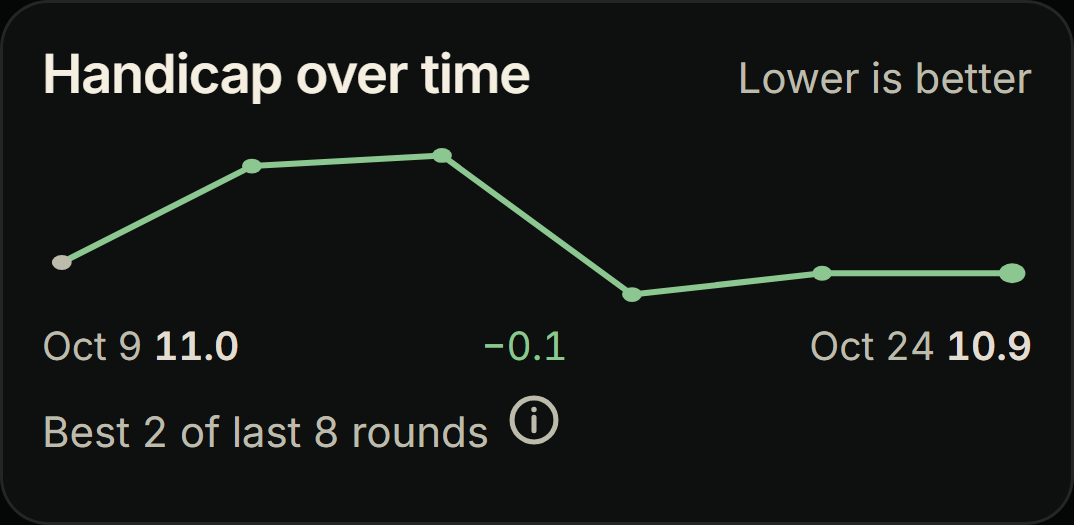
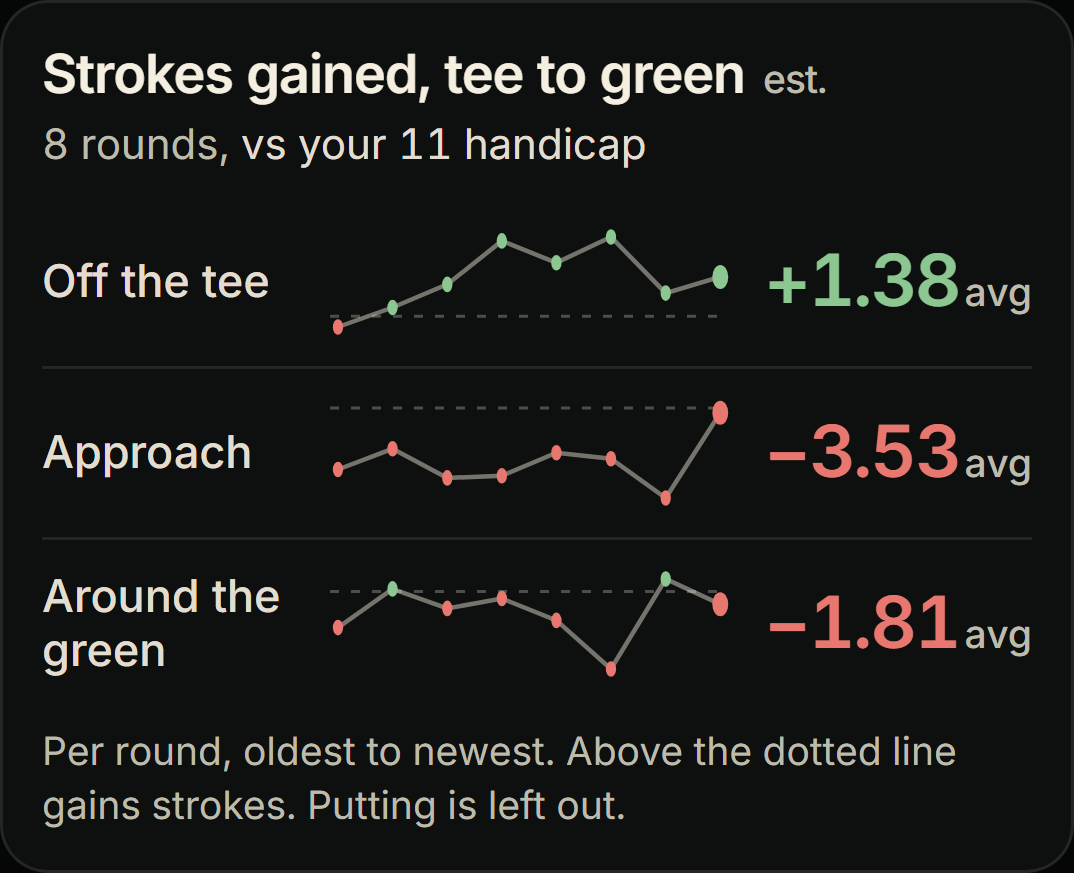
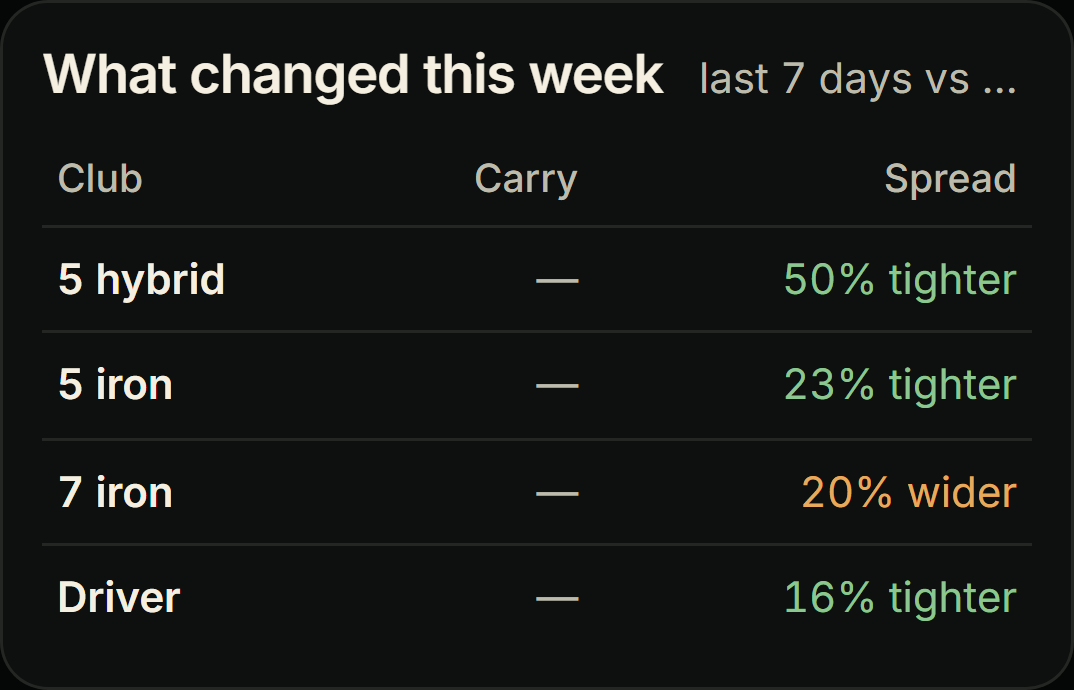
GSCaddie keeps every round, so the story is in the trend: your handicap, your strokes gained, and every club's carry.

Every shot, down to the numbers
Behind every trend is the full record. Open any round, any hole, any shot.
Hole by hole, shot by shot
The round's score and strokes gained, then every hole with its score, fairway, green, putts, distance to the pin and strokes gained. Pick a hole to replay it, then go through it shot by shot.

Replay every hole
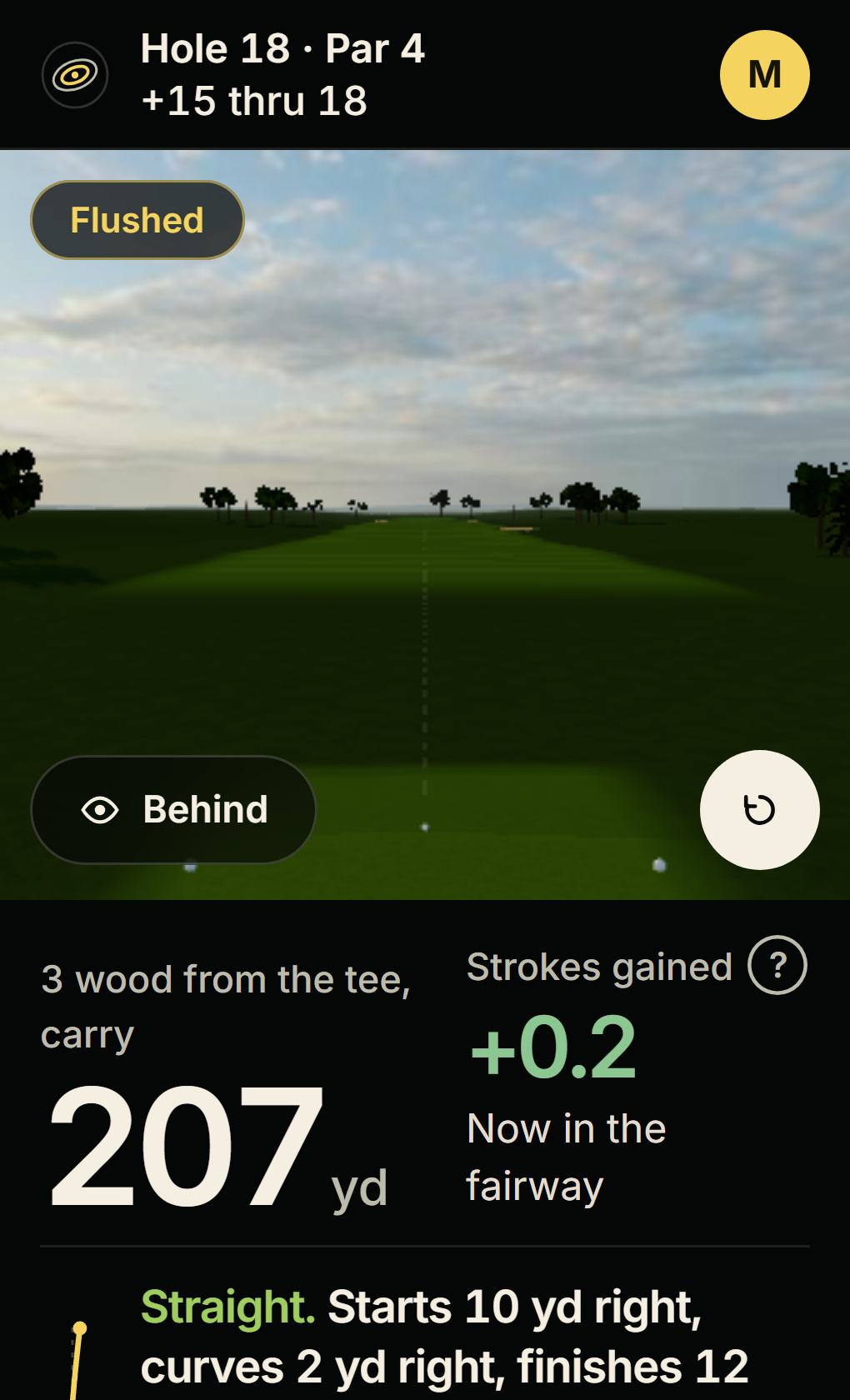
Every hole of every round plays back on the course, shot by shot. This is a real par: a drive into deep rough, a wedge into the bunker, a splash to 10 feet. Hit Play hole, tap any shot, or switch the view.
Hole replay
Hole 4, par 4, 392 yd. Par, 4 strokes.Ball, club and result
The full set for every swing: club speed, attack angle, path, face and face to path, then ball speed, launch, spin, spin axis, start and curve, then carry, finish, apex, descent and distance left to the pin.


Where each club really goes
Every club gets its own page: how the ball curves and starts, where it finishes against your aim, its peak height and descent, and a chart of where your shots land around their center.
Every swing, searchable
Course or range, dates, club and lie, a search box, and any row opens the full shot. Your clubs, where you hit from and your carry spread sit alongside. 836 shots in the demo, all of them there.


Practice counts too
Range sessions get their own page: each club against your usual, where every shot finished, your best stretch of 10 and how consistent each club was.

Test a change, side by side
Hit a set, change one thing, hit another, and see both groups on one chart against your average. Here, a new driver shaft carried 233 yd against 226 with the stock one.
Everything from every session
Saved after every round, clear about where the strokes go, specific about what to practice.

Every round and range session, saved
Each session lands in your history on its own, with score, strokes gained, fairways, greens and a one-line verdict like "approach game went cold".
Know where the strokes went
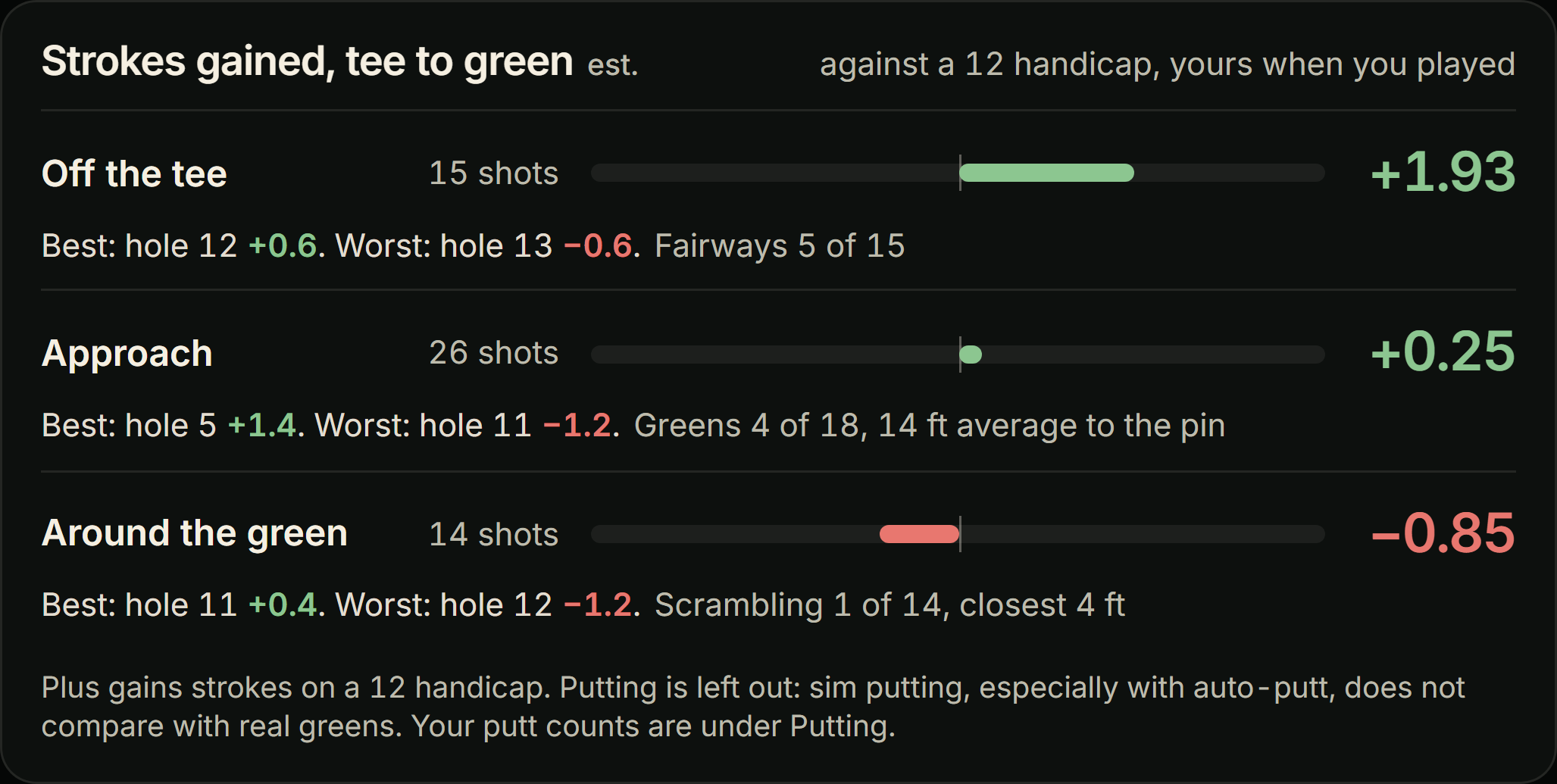
After every round: your score, the scorecard, and strokes gained off the tee, on approach and around the green, with your best and worst hole for each. Strokes gained is how many shots you won or lost against what's expected from each spot.

A drill for your biggest leak
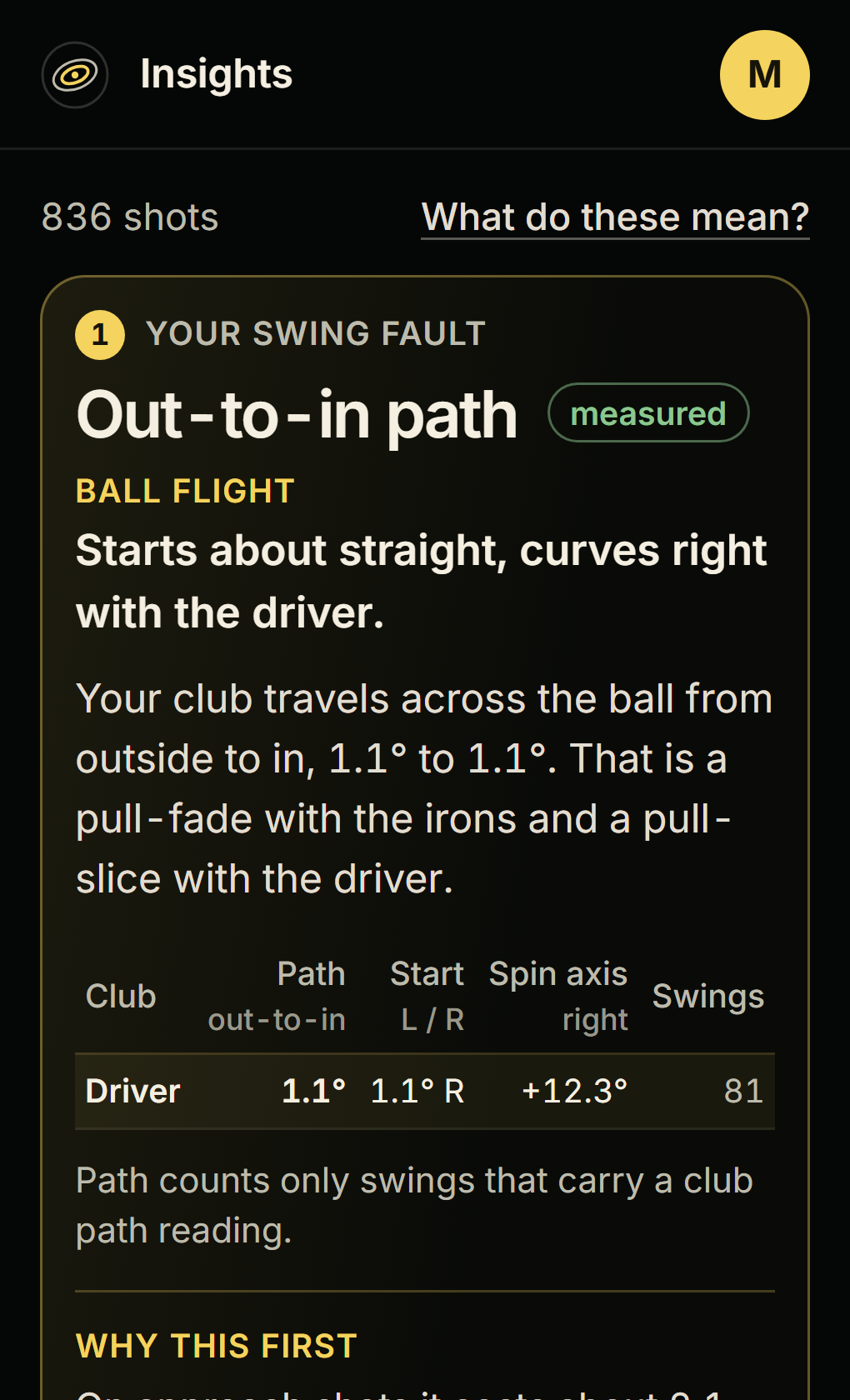
Insights finds the swing fault behind your misses, like an out-to-in path that slices the driver, and pairs it with a drill and a pass mark: 9 of 15 swings with the club path inside 1 degree.
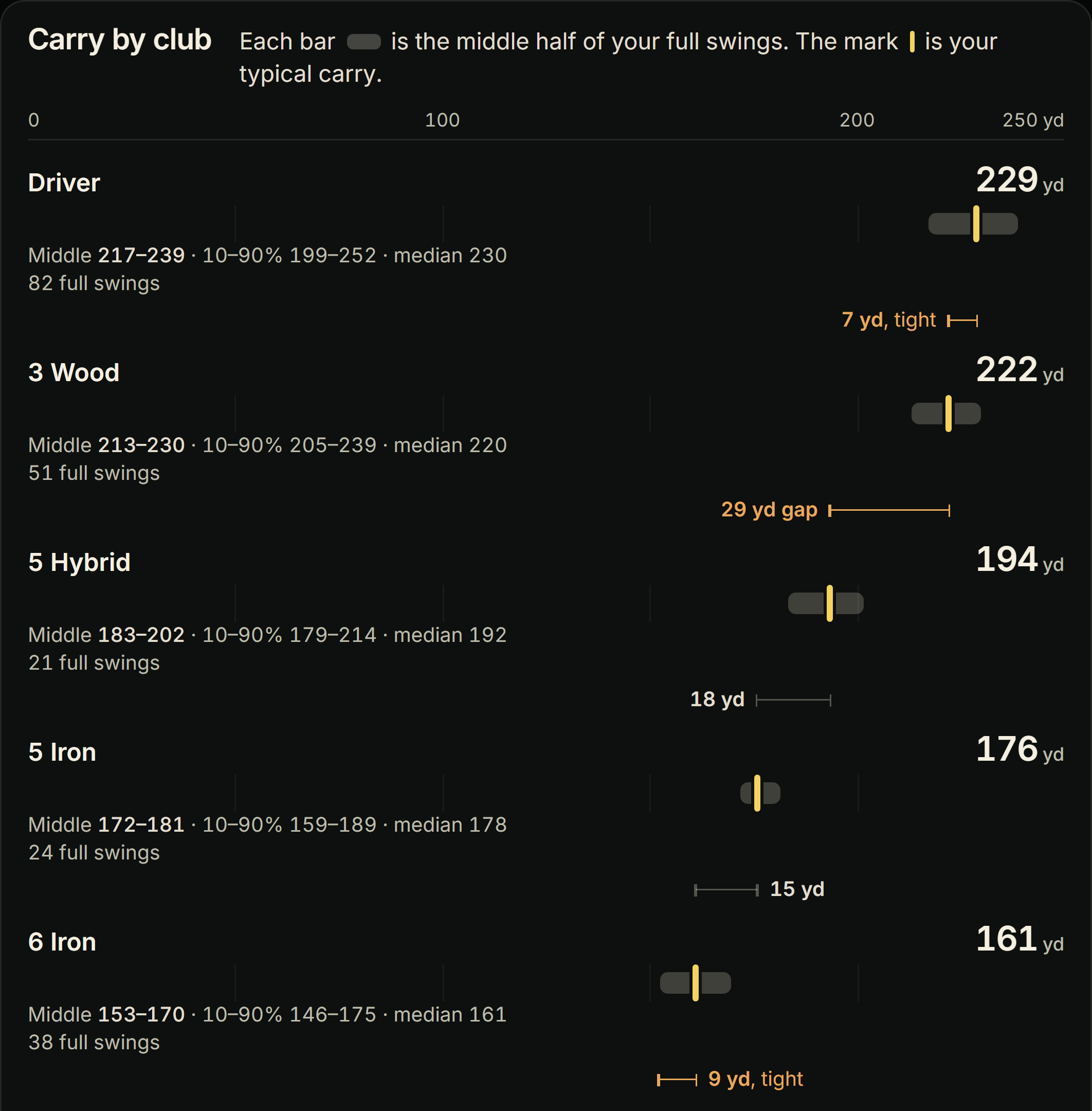
Every club's real carry
Gapping shows the middle half of your full swings with every club, then flags the gaps and overlaps in your bag, like 28 yards between pitching wedge and gap wedge with nothing covering 95.
You play. GSCaddie does the rest.
Every session is saved, your trend updates and your next drill is waiting before you tee off again.
Play
Play a round or hit the range. Every shot shows up live on your phone or a second screen, replay and numbers.
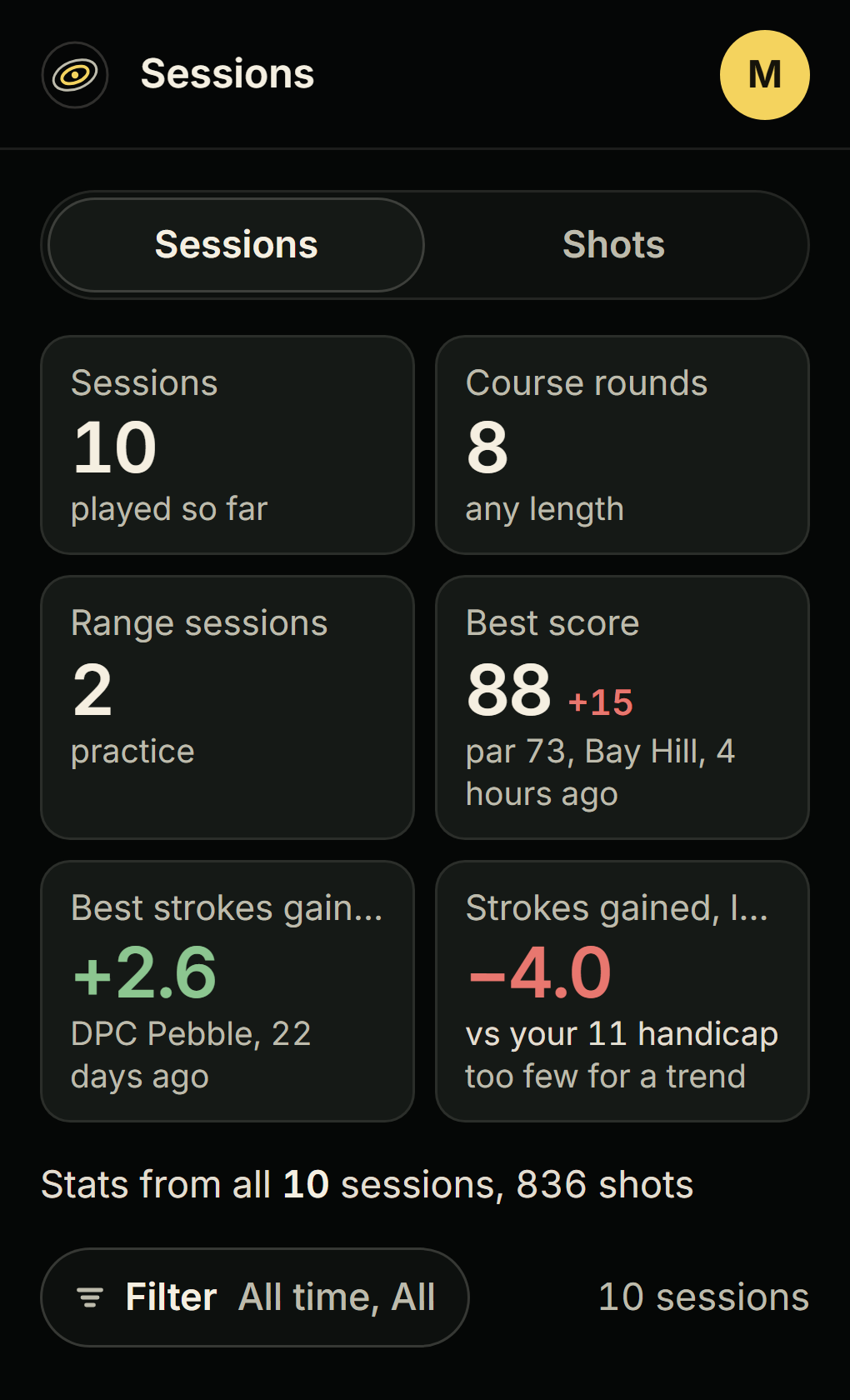
Every session saved
Each round and range session is kept, with its score, strokes gained and a verdict.
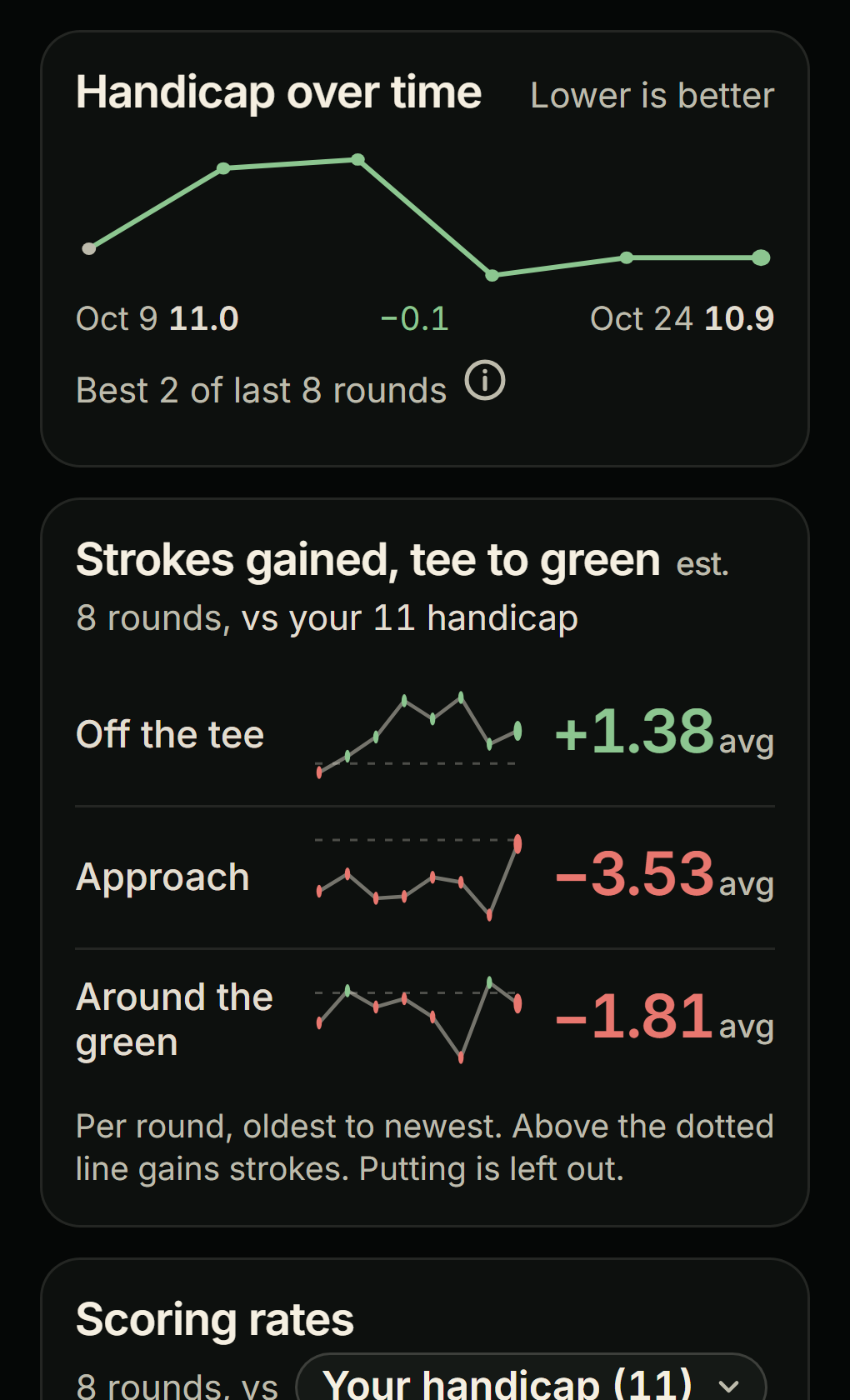
See the trend
Your handicap and strokes gained, round after round, so you know what is really changing.
Practice the leak
One clear thing to work on, with a drill and a pass mark. Then watch the number move.
Heard from the sim room
What GSPro golfers say after a few rounds with GSCaddie.
I absolutely love this software! It's like 18 Birdies on steroids, but for GSPro.
... Four other guys play on my sim and it keeps everyone's stats separate without me doing anything. The Insights page is easy to read and actually tells you what to work on instead of just showing numbers.
GSCaddie provides understandable information you can use to identify improvement opportunities. ... If you use GSPro for your golf simulator this program is a must.
Take it for a round. No signup.
The demo is the real app loaded with a sample golfer's 10 sessions and 836 shots. Click through all of it.
Seven days free.
One plan, everything in it.
Billed $79 a year. Save $29.
Start free7 days free, no credit card to start.
Everything included:
- Every round and range session saved automatically
- Handicap and strokes gained trends over time
- Strokes gained breakdown after every round
- A replay of every hole you play
- Insights and drills for your biggest leak
- Gapping, trends and dispersion for every club
- Compare two sets of swings
- Every player on your sim gets their own stats
- Import your recent rounds from the GSPro Portal
- Live shot view on a second screen or phone
Windows 10/11 sim PC. Works with any launch monitor that connects to GSPro.
No. GSCaddie is read-only. It sits alongside GSPro and never changes your game, settings or rounds.
Stop guessing. Know where the strokes go.
7 days free, no credit card to start. Set up once on your sim PC and play.